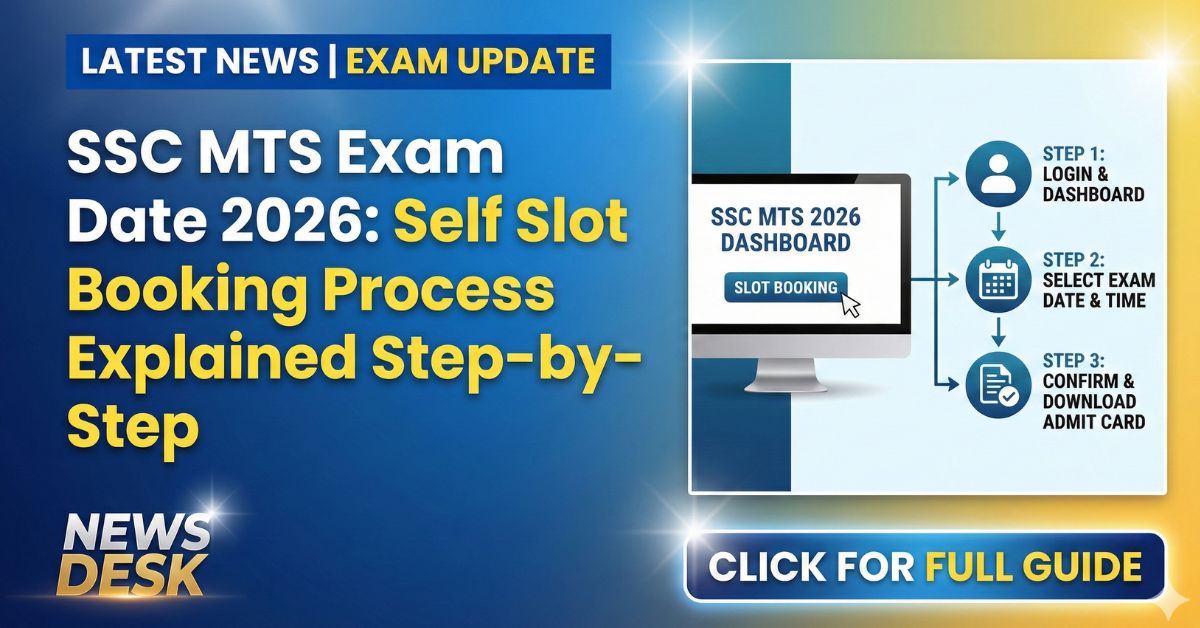
In a major update for the 2026 cycle, the Staff Selection Commission (SSC) has activated the “Self Slot Booking” window for the SSC MTS (Multi-Tasking Staff) and Havaldar examination. As of January 15, 2026, the link is live on the official new website, ssc.gov.in.
This is a significant shift from the old system where SSC would randomly assign you a date and shift. Now, candidates can pick the date and time that suits them best. However, this is a race against time—slots are available on a First-Come-First-Served basis.
Here is a complete step-by-step guide on how to book your slot, what happens if you miss the deadline, and the important dates you cannot afford to ignore.
What is SSC MTS Self Slot Booking?
Earlier, candidates had to wait for the admit card to know their exam date. Often, students would get centers far away or dates that clashed with other plans. To fix this, SSC has introduced Self Slot Booking.
- What it means: You log in, view a calendar of available dates (between Feb 4–15, 2026), and pick your preferred shift and city.
- The Catch: Once a specific shift at a center is full, it will be locked. If you delay, you might be forced to take a “hard” shift or a center far from your home.
Important Dates: SSC MTS 2026 Cycle
The exam cycle is moving fast. Mark these dates in your calendar immediately.
| Event | Date | Status |
| Slot Booking Start Date | January 15, 2026 | LIVE NOW |
| SSC MTS Exam Dates | February 4 to February 15, 2026 | Scheduled |
| Admit Card Release | ~February 1, 2026 | Upcoming |
| Official Website | ssc.gov.in | Active |
How to Book Your SSC MTS Exam Slot (Step-by-Step)
Follow these simple steps to lock your seat before the best slots are gone:
- Visit the New Portal: Go to the official website [suspicious link removed]. Do not go to the old ssc.nic.in site.
- Login: Enter your Registration Number and Password (or Date of Birth) on the candidate login page.
- Find the Link: On your dashboard, look for the notification: “SSC MTS & Havaldar Examination 2026 – Slot Booking”.
- Select Preferences:
- Exam City: You will see options based on the preferences you filled in your application.
- Date: Choose a date between Feb 4 and Feb 15.
- Shift: Select Morning, Afternoon, or Evening.
- Confirm: Click on “Submit” or “Book Slot.”
- Download Confirmation: Once done, take a screenshot or print the confirmation slip. This is proof of your booking.
What Happens If You Miss the Booking?
Many students are asking, “Is this mandatory?” Technically, no, but skipping it is risky.
If you do not book a slot within the given window (usually open for 5–7 days), SSC will automatically assign you a random slot.
- The Risk: The computer might give you a date you dislike or a center that is far from your home.
- The Advice: Do not leave it to luck. Spend 5 minutes and book it yourself today.
Shift Timings for SSC MTS 2026
The exam is being conducted in multiple shifts daily. When booking, keep these standard timings in mind (subject to final admit card confirmation):
- Shift 1: 9:00 AM – 10:30 AM (Reporting time: 7:45 AM)
- Shift 2: 12:00 PM – 1:30 PM
- Shift 3: 3:00 PM – 4:30 PM
Frequently Asked Questions (FAQs)
Q: Can I change my exam date after booking the slot?
No. Once you confirm and submit your slot, it is locked. SSC does not allow changes later. Choose carefully.
Q: I cannot see the slot booking link. What should I do?
Ensure you are on the new website (ssc.gov.in). If the site is slow due to heavy traffic, wait for late night or early morning to try again. Clear your browser cache if the problem persists.
Q: Is the slot booking available for all regions?
Yes, the facility is being rolled out for all regions (NR, ER, CR, SR, etc.) simultaneously for the 2026 cycle.
Q: When will I get my final Admit Card?
The actual Admit Card with the exact center address will be released around February 1, 2026, which is 3-4 days before the exams start.
Q: What if all slots on my preferred date are full?
You will have to choose a different date. This is why you must book as early as possible.